
2 Replies
Posted by Mariana Onetoalmost 3 years ago
Hi Sohrab,
Thank you for contacting Hilti.
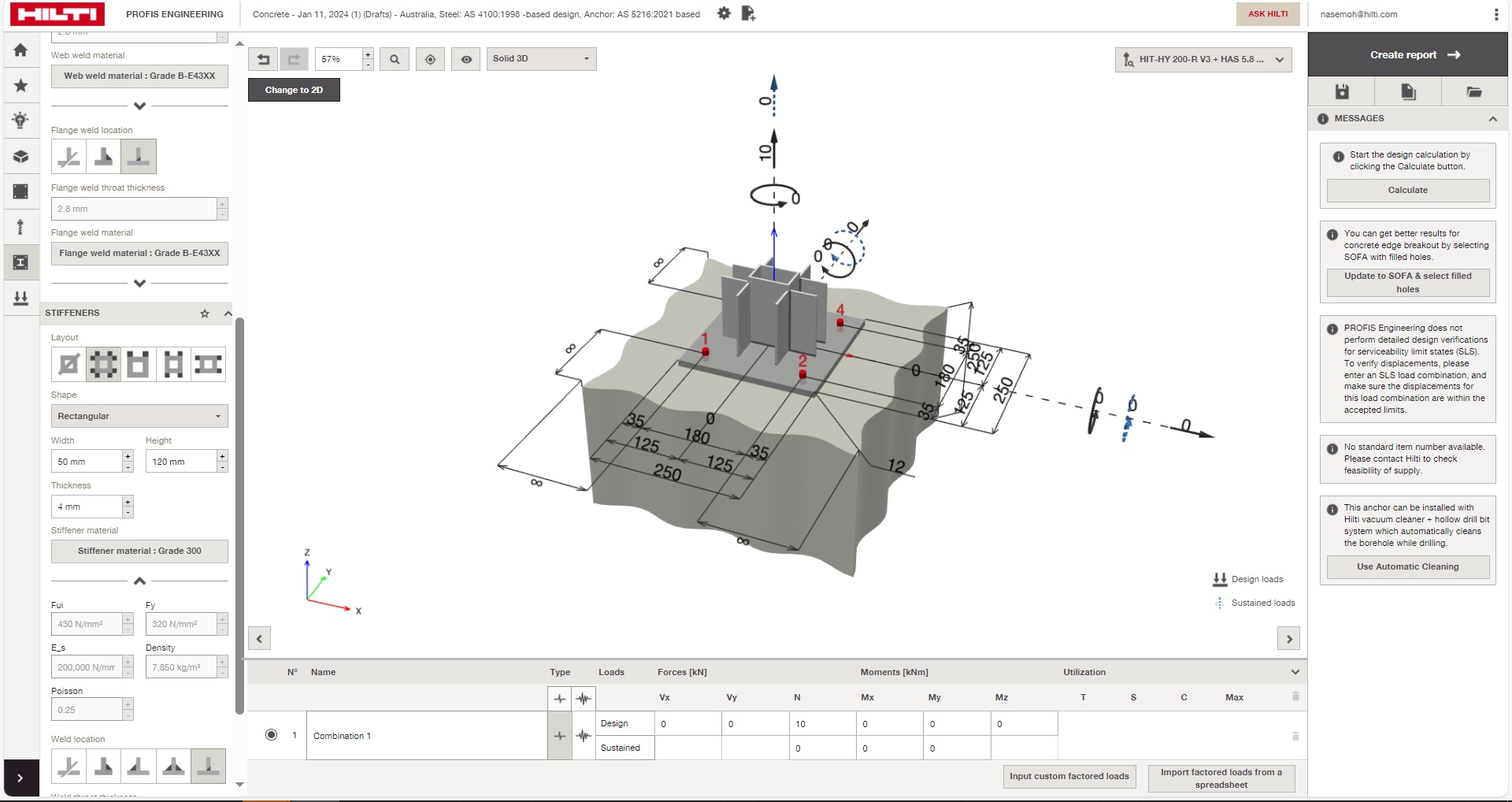
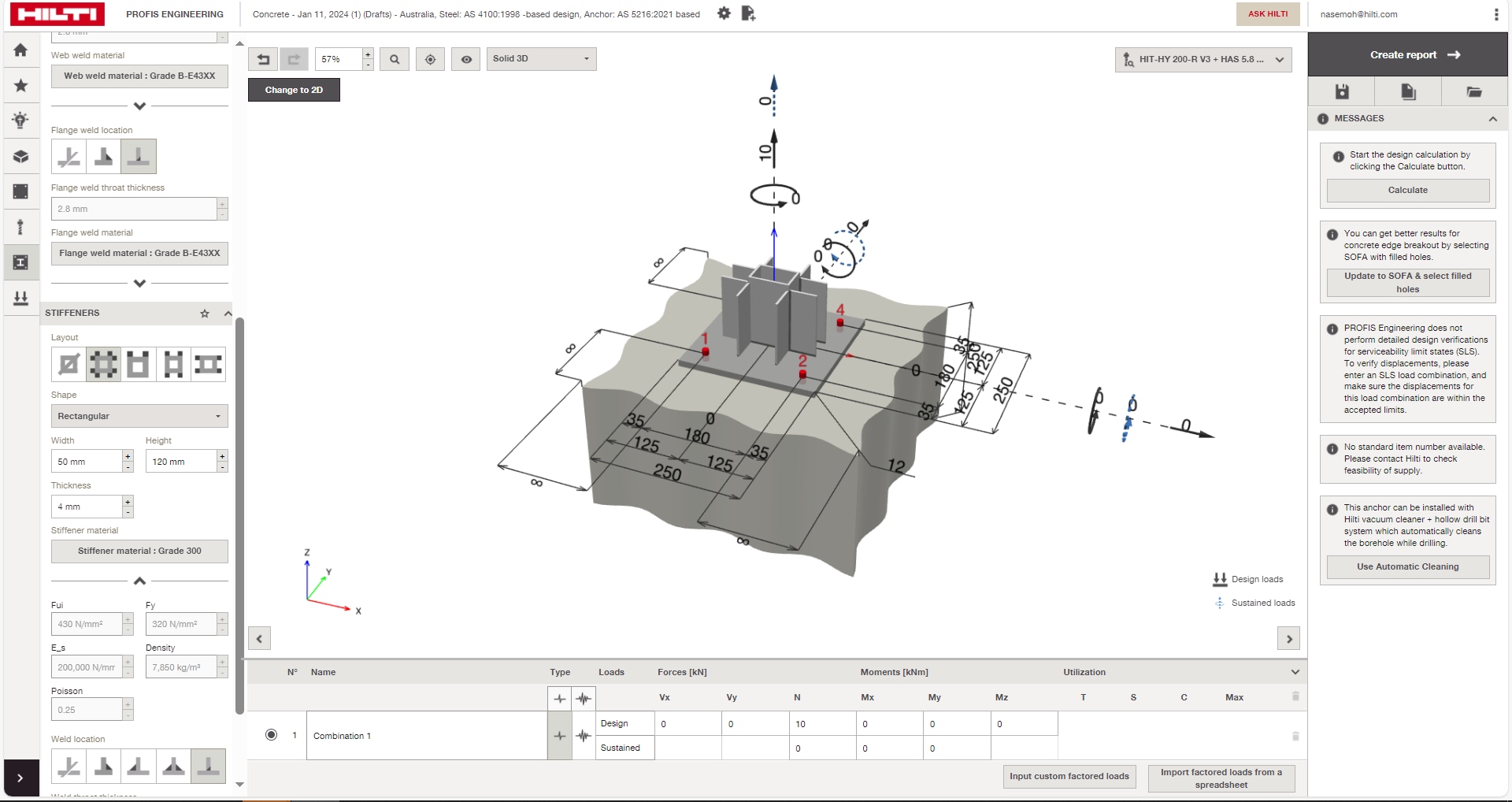
Yes, you can amend stiffener layout in the PROFIS engineering premium version. Please find the steps below and screen shots attached:
- Switch to the stiffener layout, here you can choose the stiffener shape and respective dimensions.
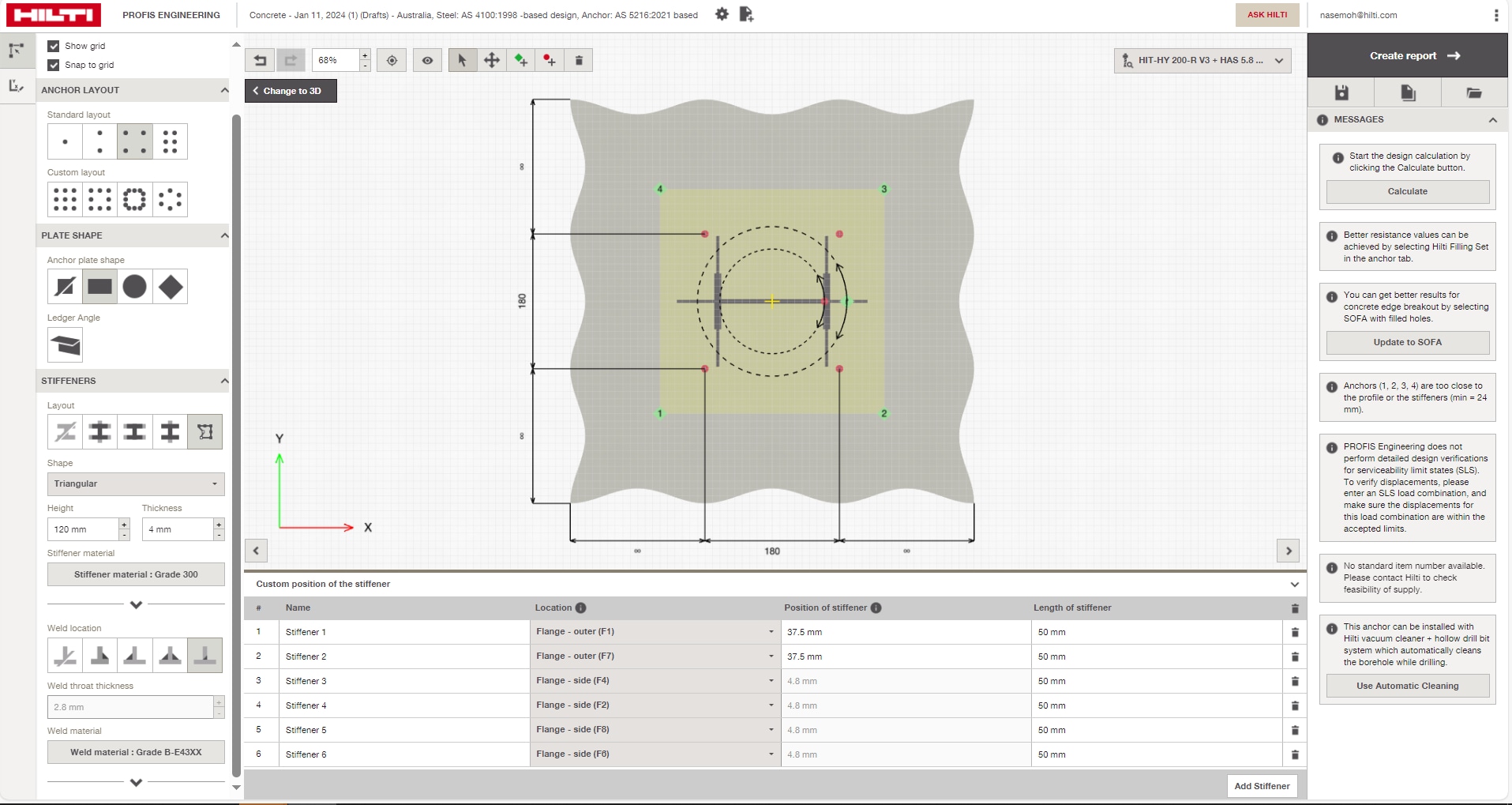
- In step 2 click on the change to 2-D button as shown in the attached image.
Once you see the 2-D screen you can click on the custom stiffener tab, here you can:
Specify the location of the stiffener.
Add a new stiffener, delete a stiffener.
- Also provide the length of the stiffener.
- Please note that these changes can only be done for I-SECTION profiles in Profis.
Let us know if you have any further questions. If you have any design related questions, please reach out to our technical support team >> here.
Hope it helps.
Kind regards,
Ask Hilti team
Posted by Sohrab Nezamialmost 3 years ago
Thank you Mariana.
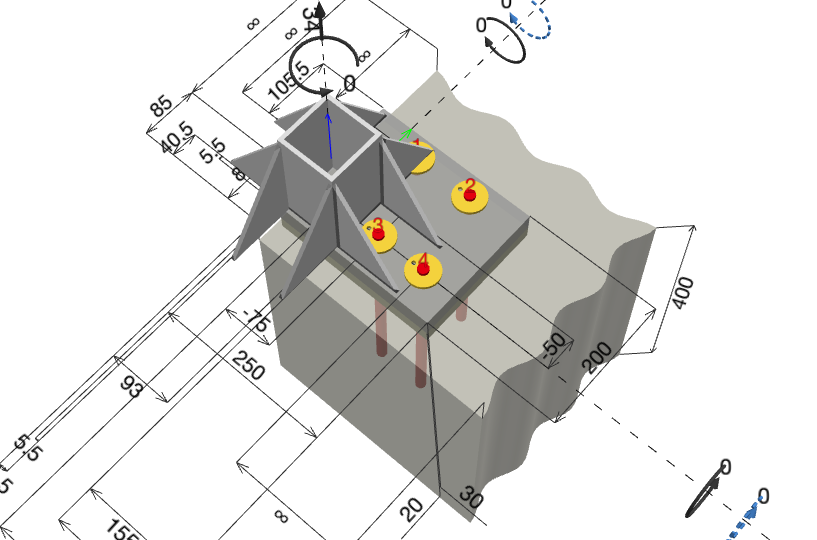
Would be really helpful to have this for hollow sections too.
1 comment on this reply
Posted by Mariana Onetoover 2 years ago
Hi Sohrab, thank you very much for your answer and feedback.