
how to increase the number of holes for the anchor bolts in base plate design in profis software?
Hi Mohammad,
Thank you for your question.
Using PROFIS Engineering, there are a few ways of altering the number of anchors and where they are placed within your design.
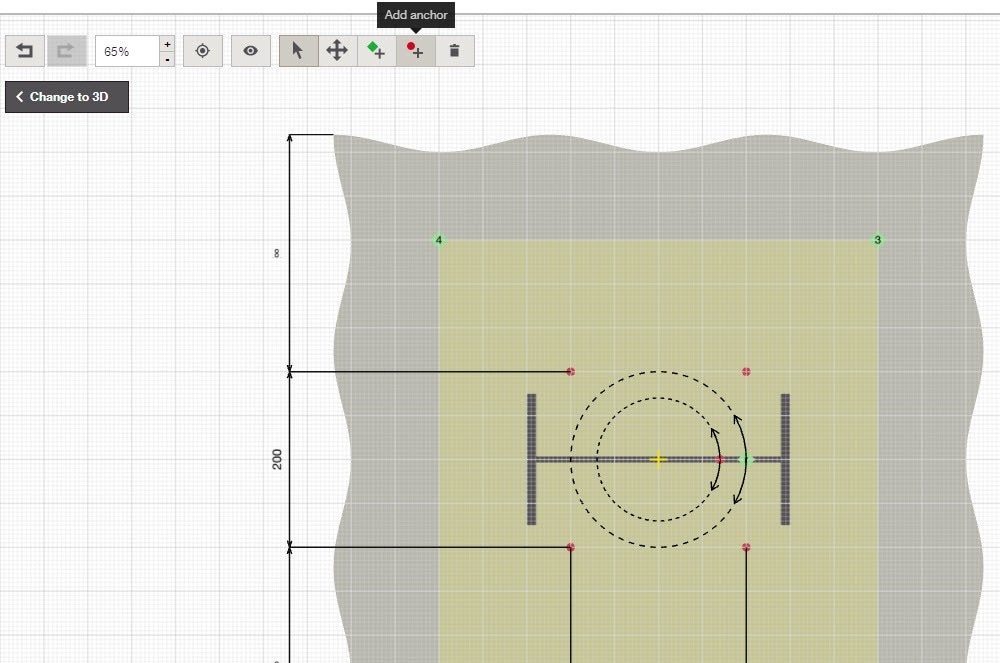
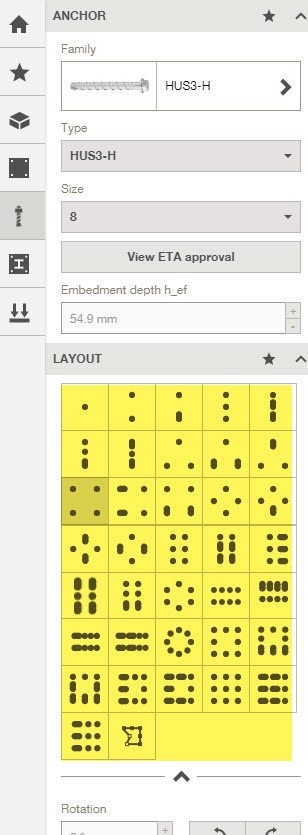
You can either select one of the anchor layout/arrangements within the default settings or for more complex arrangements, you can swap to the 2D view and add anchors as points in the grid or use coordinates to input additional anchor points.
I've attached some images for you below to help on the above options.
Kind regards
Ask Hilti Team
Australia
Hello - I cant seem to select the 2D option for plate and anchor design check to MASONRY - Can you please assist with providing direction on how to provide multiple anchors into MASONRY? Thanks